INITWIN · Editorial
Software & digital strategy
Site security check with SecurityHeaders.com: a simple first step before a full audit
How to quickly check HTTP security headers and why they matter for any website or web application
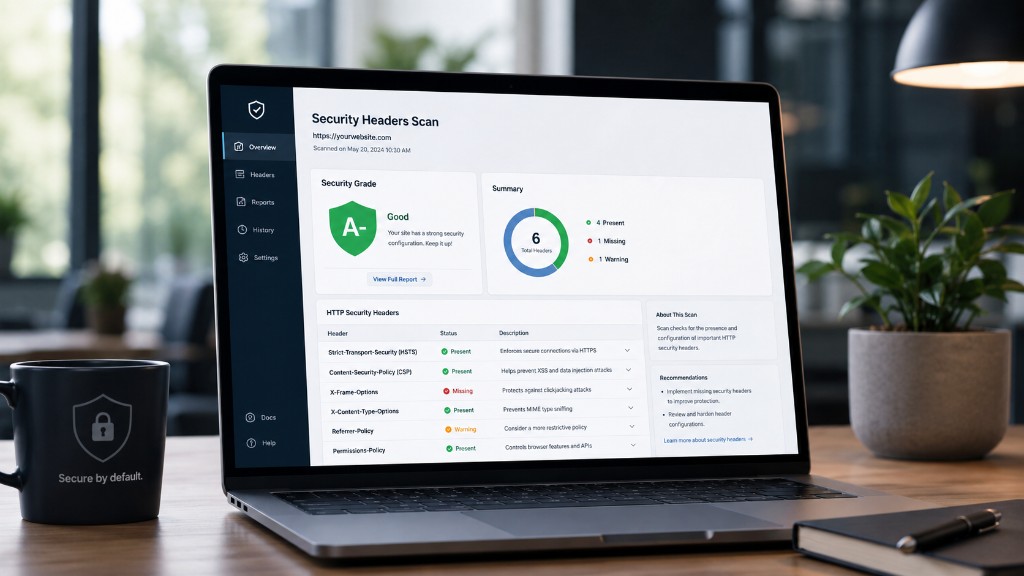
How to quickly check HTTP security headers and why they matter for any website or web application.
Website security does not always start with a complex audit, long technical reports and hard-to-understand tools. Sometimes the first step can be much simpler: checking HTTP security headers.
A very useful tool for this is SecurityHeaders.com. You enter the site address, choose whether to follow redirects, and the platform analyses which headers the server sends to the browser. You get a grade and a list of recommendations.
For a company site, online store, client portal, SaaS platform or business application, this check is a very good start. It does not replace a full audit and does not guarantee the application is secure. But it gives a quick picture of important protections that can be enabled at server or application level.
HTTP security headers are instructions sent to the browser. They reduce the risk of attacks such as clickjacking, XSS, loading unsafe content or uncontrolled use of browser features.
What are HTTP security headers?
When a user visits a site, the browser sends a request to the server. The server responds with the requested page and a set of HTTP headers — metadata about the response.
Security headers can control:
- whether the browser must always use HTTPS;
- whether the page can be displayed in an iframe;
- which scripts and external resources can be loaded;
- what information about the origin page is sent to other sites;
- whether the browser may guess file types;
- whether the site may use camera, microphone or geolocation;
- how cookies are protected.
A site can work without these headers. That does not mean it is optimally configured. Their absence does not always cause a visible problem for users, but it can leave the application more exposed.
Why SecurityHeaders.com is useful
SecurityHeaders.com offers a quick, visible and easy-to-understand check. You enter the domain and get a report showing which headers are present, which are missing and what should be improved.
The grade (from A+ down) is not a final verdict on security. A site with a good grade can have application vulnerabilities. A site with a weak grade is not automatically compromised. But the grade is a good signal about browser-level hardening — a solid starting point before a broader audit.
Strict-Transport-Security (HSTS)
HSTS tells the browser the site must be accessed only over HTTPS. After receiving this header, the browser will avoid insecure connections to that domain for the configured period.
Even with an SSL certificate, the first request may go over HTTP before redirect. HSTS reduces this risk. Example:
Strict-Transport-Security: max-age=31536000; includeSubDomains
However, HSTS must be enabled carefully. If subdomains do not work correctly on HTTPS, includeSubDomains can cause problems.
Content-Security-Policy (CSP)
CSP lets you define sources from which the page may load scripts, styles, images, fonts, frames, API connections and other resources. It is important for reducing the impact of XSS attacks.
If an attacker injects a script, a well-configured CSP can block execution or loading from unauthorised sources. A policy that is too strict can break the site (legitimate scripts, fonts, analytics). A good approach: enable initially in Report-Only mode, then adjust and enable fully.
X-Frame-Options
Controls whether the site can be displayed in an iframe — protection against clickjacking. Common values: DENY (block completely) or SAMEORIGIN (same domain only). In modern applications, protection can also use CSP: frame-ancestors.
X-Content-Type-Options
The usual value nosniff tells the browser to respect the content type declared by the server and not guess otherwise — reducing the risk of an uploaded file being interpreted as executable script.
Referrer-Policy
Controls how much information about the origin page is sent to other sites. For many sites, a balanced choice is:
Referrer-Policy: strict-origin-when-cross-origin
Permissions-Policy
Controls browser features: camera, microphone, geolocation, fullscreen, sensors, payment APIs. If the site does not use them, disable explicitly:
Permissions-Policy: camera=(), microphone=(), geolocation=()
Cookies: Secure, HttpOnly and SameSite
A session cookie should generally have Secure, HttpOnly and SameSite. Secure = HTTPS only. HttpOnly = not accessible from JavaScript (reduces XSS risk). SameSite = limits cross-site sending (reduces CSRF risk). Exact settings depend on flows: authentication, multiple domains, payments, integrations.
What a weak grade means
A weak grade does not automatically mean the site is compromised — it means recommended headers are missing. Treat the report as an improvement list, not a definitive label. Some headers are quick to add; CSP and HSTS need careful testing.
Configuration in Nginx
Illustrative example:
add_header X-Frame-Options "SAMEORIGIN" always;add_header X-Content-Type-Options "nosniff" always;add_header Referrer-Policy "strict-origin-when-cross-origin" always;add_header Strict-Transport-Security "max-age=31536000; includeSubDomains" always;
CSP must be adapted to external scripts, CDNs, analytics and the site’s real APIs.
Configuration in the application
Headers can also be set in Flask, Django, Express (Helmet), Laravel or Rails — middleware or dedicated extensions (e.g. Flask-Talisman). Many teams combine Nginx with application-level headers.
SecurityHeaders.com is not a full audit
Header checks do not replace testing for SQL injection, XSS in forms, weak authentication, exposed APIs, rate limiting, unsafe uploads, vulnerable libraries, roles and permissions or backups. It is an important quick win, not a pentest.
What to check after headers
- SSL/TLS, dependencies, cookies, forms and login;
- rate limiting, roles, uploads, APIs, logs;
- backup/restore, server configuration, staging before production;
- code review for sensitive areas.
Periodic checks and explaining value to clients
Configurations change with updates, new CDNs or subdomains. Include the check in a monthly checklist or quarterly audit. For non-technical clients: “Headers are instructions that tell the browser what is allowed and what is not — an invisible layer of protection in the interface.”
Conclusion
SecurityHeaders.com is a simple tool for a first check: HSTS, CSP, X-Frame-Options, X-Content-Type-Options, Referrer-Policy, Permissions-Policy. For any company site, portal or business application, header verification should be part of launch and maintenance.
Web security is built in layers: HTTPS, correct headers, protected cookies, validation, authentication, testing and monitoring. HTTP headers are one of the simplest starting layers — worth configuring correctly from the earliest stages.
Keep reading
- Why do my emails go to spam? Complete guide to SPF, DKIM, DMARC and server reputation
- How to build your own company email server with Mailcow, without monthly per-user subscriptions
- How to prepare your team for new software: training, adoption and resistance to change
- The 8-week MVP: how to launch a product idea without burning the budget
Need guidance on a similar project or a technical audit?