INITWIN · Editorial
Software & digital strategy
SaaS vs custom software — the real 3-year cost calculation for an SME
Why the monthly price does not tell the whole story and how to choose correctly between subscription and custom development
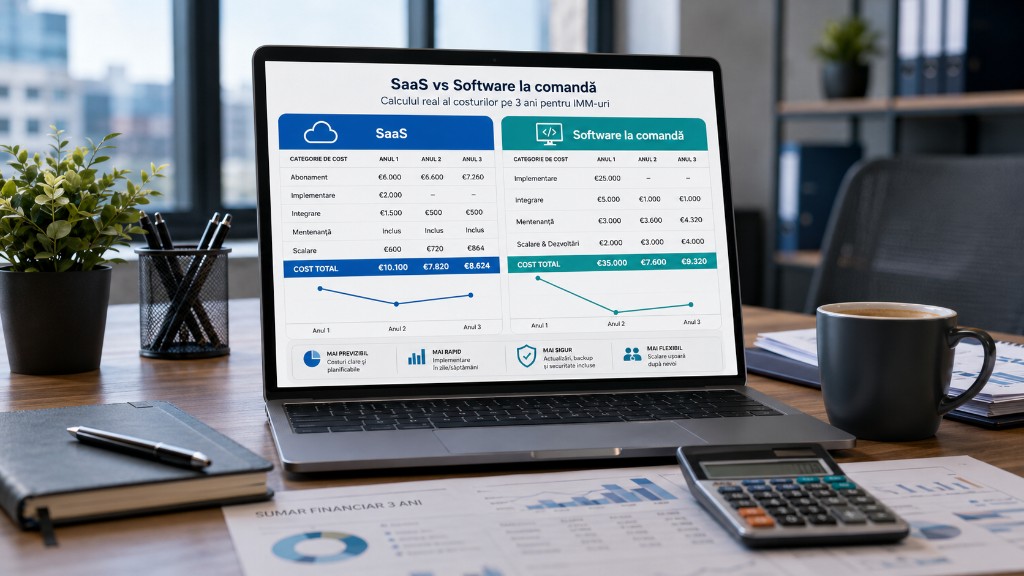
Why the monthly price does not tell the whole story and how to choose correctly between subscription and custom development.
For an SME, choosing between SaaS and custom software seems simple at first. SaaS has a clear monthly subscription, starts quickly and does not require a large internal technical team. Custom software looks more expensive — analysis, development, testing, implementation, maintenance.
If you look only at the first invoice, SaaS almost always wins. If you look at total cost over 3 years, the picture becomes more nuanced. The question is not “which option is cheaper?” but “which fits how the company actually works?”
SaaS excels for standardised processes. Custom software matters when processes are specific, integrations are many, data must be tightly controlled or workflows are not well covered by standard products. The difference shows in productivity, control, flexibility, scalability, vendor dependency and the cost of future changes.
What is SaaS?
SaaS (Software as a Service) — you use an application hosted by the provider and pay a monthly or annual subscription: CRM, email, project management, helpdesk, invoicing, e-commerce, HR, BI, marketing automation, e-signature.
Main advantage: speed — account, plan, configuration, start. The provider handles hosting, security, backup, availability. Useful when the problem is common and already solved well by existing products.
Limits: per-user cost, premium plans, limited customisation, difficult integrations, incomplete exports, vendor lock-in, forced adaptation to the product workflow.
What is custom software?
An application built for your company’s concrete needs: client portal, internal app, orders, reporting, BI dashboard, ERP integration, notifications, custom CRM, scoring engine, marketplace, audit and compliance.
Advantage: fit — the app follows your processes. Disadvantage: higher initial cost. Worth it when the process is important and specific enough that you do not want to force it into a generic product.
Common mistake: subscription vs. initial development
Incomplete comparison: “SaaS €20/user/month” vs. “custom €30,000 development”.
For SaaS calculate: subscription, users, growth, premium plans, modules, implementation, migration, training, integration, automation, consulting, limitations, export/vendor change.
For custom calculate: analysis, development, testing, deployment, hosting, maintenance, support, changes, security, monitoring, documentation, training.
Only over 3 years can you decide realistically.
Why a 3-year calculation is more accurate
Year 1: implementation, configuration, training. Years 2–3: subscriptions, scaling, changes, integrations, maintenance. SaaS grows with users, data, premium modules. Custom has high upfront cost, then more stable — not necessarily per-user cost.
Scenario 1: SaaS for 25 users
SME with 50 employees, 25 use CRM/operations. Subscription €30/user/month = €9,000/year → €27,000 over 3 years.
Plus real costs: implementation €3,000; migration €2,000; training €1,500; website integration €2,500; ERP integration €5,000; automation €3,000; administration €4,000/year.
Indicative 3-year total: ~€48,000 — far from “€30 per month”. Growing to 40 users or premium features increases cost.
Scenario 2: custom software for the same SME
Custom app: clients, orders, statuses, documents, notifications, reports, invoicing integration.
Initial cost: analysis €4,000; UX/UI €3,000; development €28,000; QA €5,000; deployment €2,000; documentation/training €3,000 → €45,000.
Recurring: hosting €1,200/year; maintenance €6,000/year; improvements €5,000/year → €36,600 over 3 years.
Indicative 3-year total: ~€81,600 — more expensive at first glance, but no per-user cost, direct integrations and own business logic. If it saves 40–60 hours/month, the calculation changes.
Hidden cost: manual work
Ill-fitting SaaS leaves Excel exports, data copying, manual checks, separate reports, workarounds. 5 employees × 5 hours/month = 25 hours. At €20/hour = €500/month → €18,000 over 3 years — not on the SaaS invoice.
Hidden cost: adapting to a generic product
SaaS imposes a preset workflow — sometimes beneficial (discipline), sometimes problematic (specific high-value process): special quoting, multi-level approvals, complex pricing, specific reports, local ERP, compliance.
Hidden cost: integration
Website, CRM, invoicing, ERP, e-commerce, warehouse, BI, payments — if SaaS does not integrate well: connectors, Zapier, scripts, manual exports. Questions: sync, errors, duplicates, source of truth, API changes. Custom can integrate directly in architecture.
Hidden cost: data and export
Can you export everything? Full history? Attachments? Usable format? Export cost? What happens when changing vendor? Custom = more control, but also backup/security responsibility.
When SaaS is the better choice
Standard process: email, video calls, calendar, simple CRM, project management, helpdesk, newsletter, accounting, basic HR. When you want fast launch, small team, process adaptable to product, few integrations.
For many SMEs, SaaS covers 70–80% of routine needs.
When custom software is better
Complex workflows, multiple integrations, own business rules, special reports, costly manual work, data control, client portal, compliance, SaaS that does not fit, too many separate subscriptions, competitive advantage.
Hybrid approach: most realistic
SaaS for standard + custom for differentiators. Example: M365/Google for email; SaaS CRM for sales; custom operations app; dashboard aggregating sources; ERP/website/invoicing integrations. Do not rebuild what already works very well.
Indicative table: 3-year cost
| Category | SaaS | Custom software |
|---|---|---|
| Initial cost | Low / medium | High |
| Monthly subscription | Yes | Not necessarily |
| Per-user cost | Yes | Usually no |
| Customisation | Limited | High |
| Integration | Can get expensive | Built into architecture |
| Data control | Limited | High |
| Time to launch | Fast | Slower |
| Process fit | Depends on product | High |
Simple calculation model
SaaS 3 years = subscription × users × 36 + implementation + integration + training + administration + extra costs + remaining manual work.
Custom 3 years = analysis + development + testing + deployment + 3 years hosting + 3 years maintenance + support + improvements + training.
Also compare value: hours saved, fewer errors, team speed, data visibility, scaling, control, vendor dependency.
Questions before deciding
- Is the process standard or specific?
- How many users now and in 3 years?
- How many integrations are needed?
- How many hours lost monthly to manual work?
- How important is data control?
- Can we adapt the process to SaaS?
- What happens if we change vendor?
- Do we have budget for maintenance?
Common mistakes
- SaaS only because it looks cheap;
- custom for what already works very well;
- ignoring integration and manual work;
- comparing only month vs. initial cost;
- no training, maintenance or 3-year calculation;
- decision without involving users.
Recommendation for SMEs
SaaS for standard processes; custom for critical or differentiating processes; integrate instead of duplicating data; calculate 3 years; include people’s time; do not choose based on the first invoice alone.
Conclusion
SaaS vs custom software has no universal winner — it is a business decision. SaaS: fast, predictable, standard needs. Custom: higher upfront, suited to specific processes, complex integrations, data control.
The cheapest software is not the one with the lowest monthly invoice. It is the one that, over 3 years, helps the company work more efficiently, with fewer errors, better data and more control. Ask: do we adapt to a product or do we want a system built for how we work? The answer should be calculated, not ideological.
Keep reading
- Why do my emails go to spam? Complete guide to SPF, DKIM, DMARC and server reputation
- How to build your own company email server with Mailcow, without monthly per-user subscriptions
- How to prepare your team for new software: training, adoption and resistance to change
- The 8-week MVP: how to launch a product idea without burning the budget
Need guidance on a similar project or a technical audit?