INITWIN · Editorial
Software & digital strategy
Code review and automated testing: how we deliver software without major bugs at launch
INITWIN’s internal QA process: unit tests, integration tests, CI/CD and checks before production
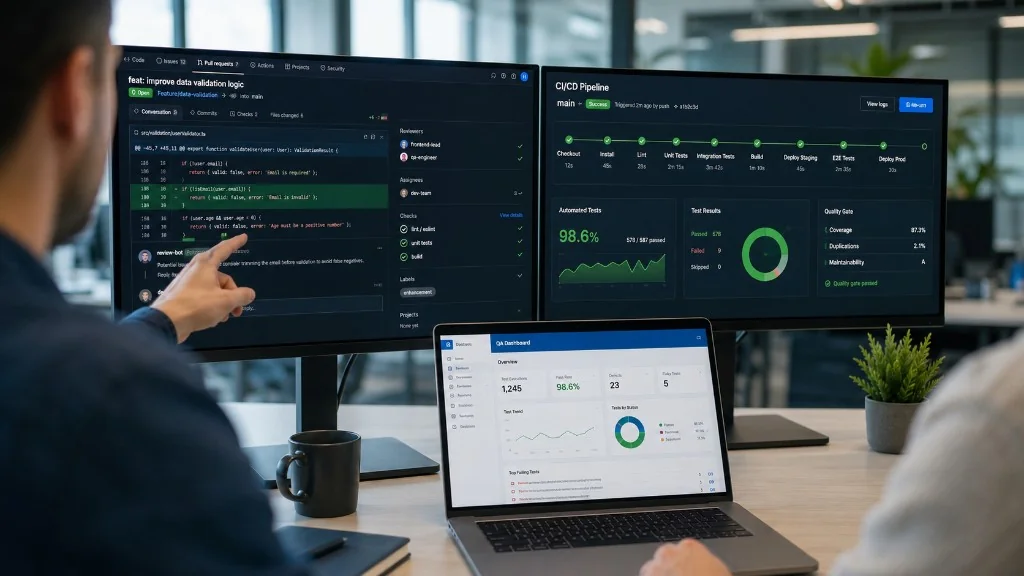
INITWIN’s internal QA process: unit tests, integration tests, CI/CD pipeline and checks before production.
A client investing in a software application buys confidence: that the portal works, data is saved correctly, payments do not get stuck, reports are accurate and launch does not turn into panic.
Bugs cannot be eliminated entirely — modern applications are complex. But there is a difference between minor bugs and major ones that block the business. At INITWIN we reduce risk through code review, automated and manual testing, staging, CI/CD and post-deployment monitoring.
Quality does not appear at the end. It is built throughout the project — from clarifying requirements to the launch checklist.
Why bugs appear
Unclear requirements, unforeseen situations (missing field, file too large, external API down), side effects when you change a module, dev vs. production differences, real data, performance. Testing must cover wrong and incomplete scenarios, not only the ideal flow.
Quality starts before code
We understand the flow: who uses it, what role, what data, what happens after save, rules, missing data, permissions, notifications, integrations. A misunderstood flow costs more than an easy technical bug to fix.
Code review
No important code goes in unreviewed. A colleague reviews before acceptance — not for personal criticism, but to protect the project.
- meets the requirement, logic, security, errors, permissions;
- efficient DB queries, clear naming, risk to other modules;
- tests added, maintainability.
Review spreads knowledge — the project does not depend on a single developer.
Unit tests and integration tests
Unit: small pieces of logic — 10% discount on 100 = 90, VAT correct, invalid password rejected, role without admin blocked. Runs automatically; on regression, the test fails before release.
Integration: modules together — order: user, product, stock, payment, invoice, email, report. Major bugs often appear at the intersection of modules.
API, permissions and manual testing
API: responses, errors, auth, input validation, edge cases — a critical component, not secondary.
Permissions: verified on the backend, not only hiding buttons — scenarios: unauthenticated, limited role, access to another user’s resources, direct URL/API.
Manual testing: unclear copy, mobile UX, confusing flow — combined with automation for the client’s real experience.
CI/CD and staging
On every change: lint, unit tests, integration tests, build, deploy to staging. Failed test = does not proceed. Repeatable process, less human error.
Staging: environment close to production — new flows, integrations, migrations, permissions, without affecting real users.
Realistic data, regression and launch checklist
Test with volume, roles, large files, cancelled orders, integration errors — not just 3 test products.
Regression: changing billing must not break accounting export or notifications. Automated tests on critical flows.
Before production: features tested, permissions, automated tests OK, backup, staging validated, migrations ready, logs and monitoring, rollback possible, response team defined.
Severity, security and integrations
Classification: critical, major, medium, minor — critical blocks release. QA focuses on preventing major bugs.
Security in development: input validation, SQL injection, XSS, CSRF, passwords, tokens, logs without sensitive data.
External integrations: API down, error, timeout, retry, logging, duplicates — the system must handle vendor failure.
Long-term cost and what the client gets
Automated tests seem costly at the start, but save on every change — an investment in maintainability.
The client gets: reviewed code, tests on important areas, staging, controlled releases, documentation, deployment, monitoring, bug reporting by severity.
Why INITWIN stands out
Chaotic projects: fast code without review, launch straight to production, no staging, tests, rollback, monitoring. Looks cheap at first, expensive when production bugs appear. The process protects the product and the client.
Conclusion
Software without major bugs at launch comes from a disciplined process: clear requirements, review, unit and integration tests, API and permissions, staging, CI/CD, checklist, monitoring.
We do not promise zero bugs — we promise a process that reduces critical risk and finds problems before they affect the client. Quality is not an extra cost: it is the difference between a demo and a product that holds up in production.
Keep reading
- Why do my emails go to spam? Complete guide to SPF, DKIM, DMARC and server reputation
- How to build your own company email server with Mailcow, without monthly per-user subscriptions
- How to prepare your team for new software: training, adoption and resistance to change
- The 8-week MVP: how to launch a product idea without burning the budget
Need guidance on a similar project or a technical audit?