INITWIN · Editorial
Software & digital strategy
Cloud advantages for a company: why more and more businesses are moving their work to the cloud
Secure storage, real-time collaboration and access from anywhere, in a single cloud
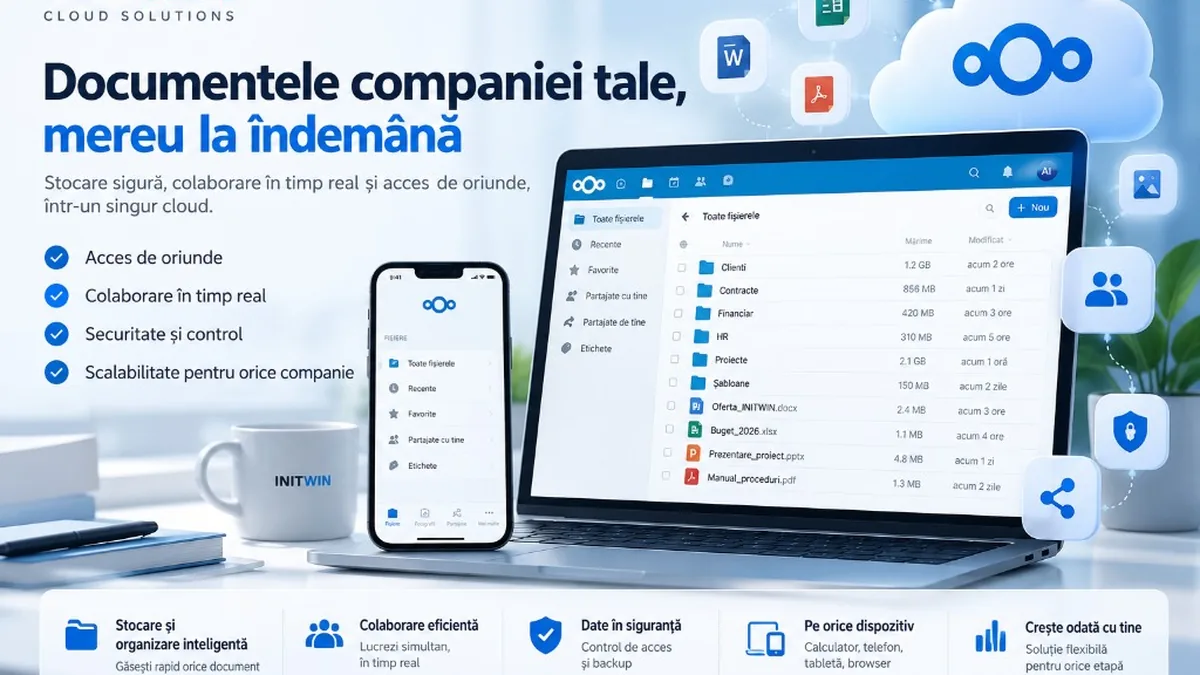
Secure storage, real-time collaboration and access from anywhere — why more and more companies are moving their documents and processes to the cloud.
Digitalisation is no longer reserved for large companies. A firm with 5, 20 or 100 employees today manages documents, contracts, invoices, emails, databases, projects and information that must be available quickly and, at the same time, properly protected.
In the traditional model, much of this data is kept on employees’ computers, on a server at the company premises, or even on hard drives and USB devices. This approach can work, but it becomes increasingly difficult to administer as the company grows.
The cloud offers an alternative: company data and applications are available through IT infrastructure accessible over the internet, without each employee depending on a particular computer or being physically present at the office.
The advantage of the cloud does not mean only “having your files on the internet”. Implemented correctly, the cloud can change how a company collaborates, protects its information and develops its infrastructure.
What does cloud mean for a company?
In its simplest form, a cloud service allows the company to use IT resources hosted in a data centre: storage space, applications, servers, databases, email services, backup or other tools required for the business.
A very simple example is document storage.
Instead of a contract existing only on an employee’s laptop:
Employee laptop
└── Contracts
    └── Client_Contract_2026.docx
the document can be kept in a company cloud space:
Company cloud
│
├── Contracts
├── Finance
├── Clients
├── Suppliers
├── HR
└── Projects
Authorised people can access it from a desktop, laptop, tablet or phone.
The difference becomes even more important when several people need to work with the same information.
1. Access to documents from anywhere
One of the most obvious advantages of the cloud is accessibility.
In a traditional infrastructure, documents can remain locked on the office computer. If the employee works from home, is travelling or urgently needs to check a document on their phone, difficulties appear.
In a cloud system, documents can be available through a secure internet connection.
A sales director at a client’s site can review an offer on a laptop. An administrator can check a contract on a phone. An employee working from home can continue a project without copying documents onto USB sticks.
The cloud thus facilitates hybrid work and collaboration between people in different locations.
2. A single version of the document
Email is still frequently used for collaboration on documents.
The problem appears quickly:
Offer.docx becomes Offer_new.docx, then Offer_final.docx and finally Offer_final_corrected_v3_FINAL.docx.
Several employees end up keeping different versions of the same document.
A cloud platform centralises the document. Depending on the solution used, changes can be tracked and previous versions can be retained.
This way, the team knows where the official document is and no longer has to decide which of the five email attachments is the current version.
3. More efficient collaboration
The cloud becomes even more valuable when combined with collaboration tools.
Several users can have access to the same project, and documents can be shared between departments without being permanently sent as attachments.
For example, a commercial process may involve:
Sales → Offer → Contract → Finance → Invoice → Management
In a fragmented system, information passes through numerous emails.
In a well-organised cloud system, the people involved can work in the same project structure and receive access only to the information needed for their role.
Some platforms also allow online collaborative editing of Word documents, spreadsheets and presentations.
4. Better control over access
A shared folder on a computer is not the same as an access management system.
A company cloud platform can allow defining users and groups.
For example:
Management
├── general access

Finance
├── invoices
└── accounting

HR
├── employee contracts
└── personnel documents

Sales
├── offers
└── client documents
A sales employee should not automatically have access to HR documents, and an external collaborator can receive access only to the project folder they are involved in.
This granular control becomes very important as the company grows.
5. Protection against accidental data loss
A laptop can fail. An SSD can die. A phone can be lost. An employee can accidentally delete an important document.
If that device contains the only copy of the information, the consequences can be serious.
Centralising data in a properly administered infrastructure reduces dependence on individual devices.
Still, there is an important distinction:
Cloud sync is not the same as backup.
A serious strategy must combine the cloud with independent backups, versioning and restore procedures. If a document is deleted or compromised and the change syncs everywhere, the company must be able to return to a previous copy.
The cloud does not eliminate the need for backup. It makes backup part of a more coherent IT strategy.
6. Centrally managed security
Information security is difficult when every employee keeps documents separately.
A well-configured cloud infrastructure allows centralised implementation of measures such as two-factor authentication, password policies, HTTPS connections, activity logging, session management, updates and access policies.
If an employee leaves the company, their access can be disabled centrally, instead of manually checking every document they had access to.
Important, however: simply being “in the cloud” does not make a service automatically secure. The security level depends on architecture, configuration, updates, internal policies, backup and the provider.
7. More predictable IT costs
Building your own infrastructure can require significant investment.
A company may need servers, storage systems, UPS units, spare components, licences, cooling, electricity and staff to administer the infrastructure.
In the cloud model, part of these costs can be turned into a monthly or annual service.
The firm can start with the resources needed today and expand them later.
This approach is especially attractive for SMEs that do not want to invest from day one in infrastructure sized for growth that may only happen in a few years.
8. Scalability as the company grows
Suppose a company starts with five employees.
Two years later it has 30.
There are more accounts, more documents, more projects and a greater need for storage.
In a rigid infrastructure, expansion may mean purchasing and configuring new equipment.
In a cloud environment, resources can in many cases be extended without rebuilding the entire infrastructure.
The company can move, for example, from:
5 users
100 GB
to:
30 users
1 TB
while keeping the same platform and the same working structure.
9. Professional file sharing
Sending large documents by email is inconvenient and sometimes impossible because of attachment limits.
The cloud allows sharing a document or folder via a link.
Depending on the platform, the link can have a password, an expiry date or different permissions.
This way, instead of repeatedly sending a file of hundreds of megabytes, the company can send controlled access to the document.
This is useful for agencies, architects, designers, construction firms, accountants, consultants and many other fields that frequently exchange files with clients.
10. Sync across computer, phone and browser
A modern cloud platform does not have to mean the user works exclusively in the browser.
Documents can be synchronised with the computer and appear in a familiar folder:
INITWIN Cloud
├── Clients
├── Contracts
├── Invoices
└── Projects
The user works with them in a familiar way, and the sync client manages the transfer to the cloud.
On the phone, the same information can be accessed through the mobile app.
The result is better continuity across devices.
11. The cloud can become the base of a Document Management System
For companies that manage large volumes of documents, the next step after storage is a Document Management System (DMS).
A DMS can organise documents by type, client, project, department, date or other metadata.
Features may include:
- OCR for scanned documents;
- classification;
- tags and metadata;
- versioning;
- full-text search;
- approval workflows;
- expiry dates;
- archiving;
- notifications.
This way, the cloud is no longer just an “online hard drive”, but becomes the infrastructure on which the company organises its information.
12. Process automation
A cloud platform can be connected with other company systems.
For example, an invoice received by email can be saved automatically, processed with OCR, classified and sent to the finance department.
A new contract can automatically generate a task for the responsible person.
A document about to expire can trigger a notification.
The flow can become:
Document received
      ↓
Classification
      ↓
Storage
      ↓
Assignment
      ↓
Approval
      ↓
Archiving
Reducing repetitive operations is one of the most important long-term benefits of digitalisation.
13. Integrating artificial intelligence
The next stage is combining the cloud with artificial intelligence.
Instead of an employee searching manually through hundreds or thousands of documents, an AI system can help identify relevant information.
For example:
- “Find contracts that expire in the next 90 days.”
- “Summarise this document.”
- “Extract the important data from this invoice.”
- “Prepare a summary of this project’s documents.”
- “Search for documents related to client X.”
For AI use in a business environment, however, confidentiality, access rights and how data is sent to AI model providers must be carefully analysed.
14. Private cloud and control over data
The cloud does not necessarily mean exclusive use of the major international platforms.
There are also private cloud solutions, where the company or its provider controls the infrastructure and applications used.
Open-source platforms such as Nextcloud allow building such environments for storage, sync and collaboration.
On this technology we launched INITWIN Cloud — our platform for company document management: secure access from computer, phone or browser, controlled sharing, sync and real-time collaboration. You can get started at cloud.initwin.com.
For some companies, knowing where data is hosted, who administers the infrastructure and how backup is done can be an important criterion when choosing a solution.
15. Business continuity
An often overlooked benefit is operational continuity.
If a computer fails, the employee can receive another device and reconnect to the platform.
If the firm changes premises, data does not need to be physically moved from a server in a technical room.
If some employees temporarily need to work from home, access to documents can continue.
The cloud thus helps reduce dependence between company activity and a particular device or physical space.
Is the cloud right for every company?
In many situations, yes — but the solution must be sized for the company.
A firm with five employees has different needs from one with 500. An accounting firm has different requirements from a design studio, a law office or a construction company.
Before migrating, at least the types of data, number of users, space required, access rights, backup requirements, existing applications and any compliance obligations should be analysed.
A well-designed migration is more important than simply choosing a popular platform.
Conclusion
The cloud is not just moving files from a computer to a server accessible over the internet.
For a company, it can become the central infrastructure for documents, collaboration, communication, backup, automation and information management.
The benefits can be considerable: access from anywhere, simpler collaboration, centralised user administration, less dependence on individual devices, scalability and the ability to integrate systems such as DMS, automations and artificial intelligence.
At the same time, a cloud infrastructure must be designed responsibly. Backup, security, updates, permissions and data protection must be treated as fundamentals, not optional extras.
For SMEs, the question is no longer necessarily whether they will use cloud services, but how they can build a cloud infrastructure suited to their way of working.
At INITWIN, we develop cloud solutions and digital infrastructures for companies, with a focus on data control, collaboration and integrating the services an organisation needs into a single ecosystem. For Nextcloud-based document management, see INITWIN Cloud.
INITWIN — Technology that works for you.
Keep reading
- Avoid clients who want a lot and pay little in the software industry
- Why software projects exceed budget — 7 real causes and how to avoid them
- European funds for SME digitalisation in Romania 2026 — what you can access and how
- SaaS vs custom software — the real 3-year cost calculation for an SME
Need guidance on a similar project or a technical audit?