INITWIN · Editorial
Software & digital strategy
Internal chatbot for your company: how to replace 80% of repetitive emails with an AI assistant
HR, internal support, employee onboarding and fast access to company documentation
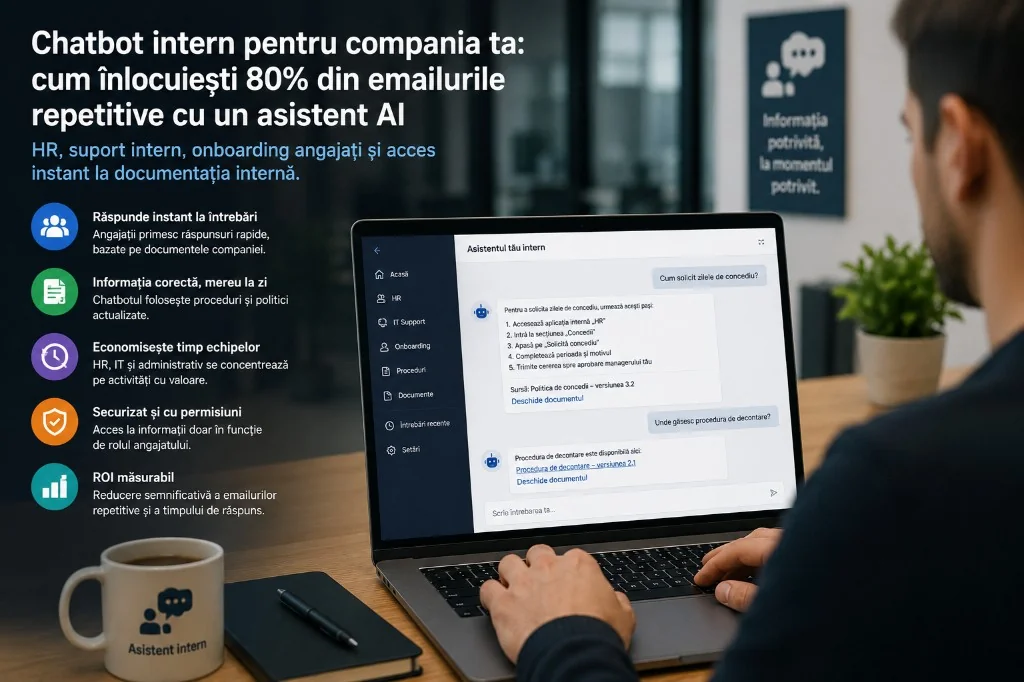
HR, internal support, employee onboarding and fast access to company documentation.
In almost every company there is invisible work that consumes time every day: repetitive questions — leave, expense claims, a new laptop, remote work, contract templates, approvals, email setup, onboarding, forgotten passwords, security procedures.
These questions are normal. The problem is they always reach the same people: HR, IT, admin, finance, legal or managers. One email seems small; at company level, interruptions add up.
An internal AI chatbot does not replace HR or IT, but it can handle repetitive questions, guide employees to the right procedures and give fast answers from internal documentation — one of the most useful automations for companies with many procedures and documents.
The real problem: the information exists, but is hard to find
Policies, PDFs, Notion, SharePoint, manuals, forms, old emails — the information exists, but employees do not know where to look. Sometimes there are three versions of the same procedure; sometimes it is faster to ask someone than to search.
An internal chatbot reduces friction: the employee asks in natural language, the system searches the documentation and answers quickly, with a link to the source.
What is an internal AI chatbot?
A digital assistant that answers from the company’s documents, policies and procedures — not generically from the internet. Typical sources: employee handbook, HR/IT policies, onboarding, security, FAQ, procurement procedures, internal application documentation.
A good chatbot cites the source: the document, section or page. The employee verifies; the company keeps control.
What questions can it handle?
HR: leave, benefits, remote work, onboarding, training, expenses — “How do I request leave?”, “What is the remote work policy?”, “Where is the expense form?”
Internal IT: password, VPN, email, applications, equipment, security — “How do I set up VPN?”, “How do I request access to app X?”, “Where do I report a suspicious email?”
Onboarding: first day, apps to install, org chart, email signature, onboarding contact.
Operational support: procurement, invoice validation, travel, internal tickets, quote templates.
Why it reduces repetitive emails
- Fast access — answers in seconds, without waiting for HR/IT;
- Availability — evenings, weekends, when teams are offline;
- Standardisation — the same answer from the same procedure, for all employees.
How it works technically (simply): RAG
The safe approach: the chatbot searches documents; it does not “memorise” everything in the model.
- documents are collected and cleaned;
- indexed in a knowledge base;
- the employee asks a question;
- the system finds relevant passages;
- AI formulates the answer with source or link.
RAG (retrieval augmented generation): AI searches your documents first, then answers. You do not want invented policies — you want approved documentation.
Concrete examples
Onboarding: 10 new hires/month, same questions to HR, manager and IT. The chatbot answers “What do I do in week one?” with steps, links and procedures — laptop → IT, leave → HR.
HR and leave: answers from approved policies; when policy changes, you update the document. HR steps in only for personal or sensitive cases.
IT: first-line support — VPN steps, access forms, security. For complex issues: a ticket with context (system, error, steps tried) — not just “it does not work”.
When the chatbot must stop
Not definitive legal advice, sensitive HR decisions, approvals without a human, medical/financial answers without a specialist, inventing when documentation is missing. The right answer: “I did not find reliable information. Contact HR/IT/Legal.” — a safety measure, not a weakness.
Documents and phased implementation
Chatbot quality = documentation quality. Start with 20–50 verified documents, not 5,000 disorganised files: employee handbook, HR/IT policies, FAQ, onboarding, security, expenses, org chart.
Stages: pick a domain (e.g. HR + onboarding) → collect and clean documents → indexing → interface (Teams, Slack, portal) → test with real users → small pilot → measure → expand.
Teams, Slack and portal integration
The chatbot must live where employees work — not yet another separate app. Ideal flow: question in Teams → answer → open source → ticket if not enough.
Security and answer control
Which documents are indexed, who has access, role permissions, logs, DPA, data to external provider, conversation deletion. If an employee cannot see a payroll document, the chatbot does not surface content from it.
Control: answers only from internal docs, source shown, escalation, feedback, periodic review, “I don’t know” instead of false confidence.
ROI and indicative costs
Example: 100 employees, 300 questions/month, ~10 min each = 50 hours/month. At 60% handled by chatbot → 30 hours saved; at 80% → 40 hours. At €20–40/hour: €600–1,600/month from repetitive work alone, plus better onboarding and fewer interruptions.
- MVP (HR/IT, web, doc search): €5,000–12,000;
- Integrated Teams/Slack, permissions, dashboard: €15,000–40,000;
- Enterprise (SSO, SharePoint/Confluence, audit, DPA): €50,000+;
- monthly costs: hosting, AI API, vector DB, maintenance, documentation updates.
6–8 week pilot on one clear domain, then expand.
Metrics after launch
Questions/day, % resolved vs. escalated, response time, top questions, documents used, feedback, adoption by department, tickets avoided. The data also improves documentation — many identical questions = unclear procedure.
Common mistakes
- indexing without cleaning documents;
- ignoring permissions;
- no sources shown;
- promising it fully replaces HR/IT;
- no feedback, escalation or documentation owner;
- too broad a launch without a pilot;
- treating the project as AI, not knowledge management.
INITWIN’s role
Analysis of repetitive questions, inventory and structuring of sources, RAG architecture, Teams/Slack/portal integration, permissions, admin, dashboard, feedback, maintenance. The value is not just the model — it is integration into company processes.
Conclusion
An internal chatbot reduces repetitive emails because it makes answers already in documentation easy to find. HR, IT and admin are interrupted less; the company sees what people ask about and improves procedures.
Do not start with the whole company. Pilot: HR + onboarding or internal IT. Measure what gets resolved, time saved and which documents need updating. An internal chatbot is not just AI — it is a step toward a company where information no longer sits stuck in emails and folders.
Keep reading
- Why do my emails go to spam? Complete guide to SPF, DKIM, DMARC and server reputation
- How to build your own company email server with Mailcow, without monthly per-user subscriptions
- How to prepare your team for new software: training, adoption and resistance to change
- Qualified electronic signature in business applications: how to integrate it and what legal effect it has
Need guidance on a similar project or a technical audit?