INITWIN · Editorial
Software & digital strategy
5 tools we use daily at INITWIN and why we recommend them to clients too
Project management, communication, documentation, testing and deployment — the stack that helps us deliver software more clearly, safely and predictably
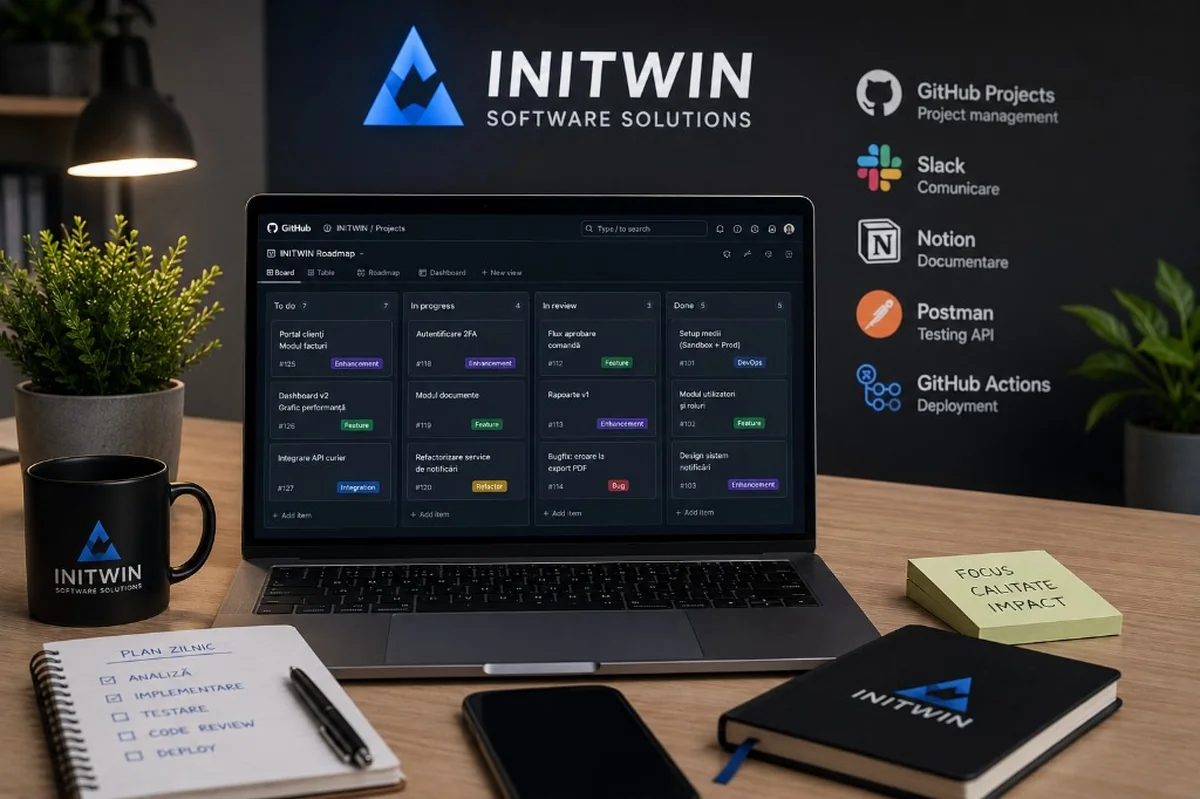
Project management, communication, documentation, testing and deployment — the stack that helps us deliver software more clearly, safely and predictably.
A good software project does not depend only on good programmers. It also depends on how the team organises work, communicates, documents decisions, tests features and delivers code to production.
Behind a web application, a client portal, an internal system or an API integration there is a workflow made up of many stages. Someone must turn requirements into tasks. Someone must track progress. The team must communicate quickly. Decisions must be documented. APIs must be tested. Code must be verified and delivered in a controlled way.
At INITWIN, we treat internal tools as part of project quality. They are not just applications we use because they are popular. They are instruments that help us work more clearly, reduce mistakes and offer the client transparency.
In this article we present 5 tools we use or frequently recommend in software projects: GitHub Projects, Slack, Notion, Postman and GitHub Actions. Each covers an essential area: project management, communication, documentation, testing and deployment.
We are not saying these are the only good options. There are excellent alternatives: Jira, Linear, Trello, Microsoft Teams, Confluence, ClickUp, GitLab CI, Jenkins, Insomnia, Swagger and many others. But for many small and medium teams, the combination below offers a good balance between simplicity, power and scalability.
1. GitHub Projects — project management tied directly to code
The first important tool is GitHub Projects. For a software team, the major advantage is that project management sits close to the code. Tasks, bugs, pull requests and technical discussions can be connected in the same ecosystem.
In software projects, there is always a risk that information is split across too many places. Tasks are in one application, code in another, bugs in another, and client feedback in email. When information is fragmented, context is lost.
GitHub Projects helps us track things more clearly. We can organise tasks by columns, statuses, priorities, sprints or modules. We can link a task to an issue, an issue to a pull request and a pull request to the code that fixes the problem.
For the client, the benefit is transparency. Even if they do not log into GitHub daily, the internal team can clearly see what is in progress, what is blocked, what is ready for testing and what comes next.
We recommend it especially for projects where the client has an internal technical team or wants visibility over development. For very large projects, Jira or Azure DevOps may be more suitable. But for many custom applications, GitHub Projects is flexible enough and easier to integrate with the development process.
Why we recommend it to clients
Because it reduces the distance between planning and implementation. When a bug is reported, it can be turned into an issue. When a developer fixes it, they can link the code to the issue. When the feature is tested, the status changes. Everything becomes easier to track.
For clients developing digital products long term, this traceability is very valuable. The question "who worked on this?" or "why was this module changed?" no longer arises. History remains visible.
2. Slack — fast but organised communication
Communication is one of the most important parts of a software project. A project can be delayed not because development is difficult, but because questions go unanswered, feedback is lost or decisions are made in conversations that are hard to find.
Slack helps us keep communication fast and organised. We can have separate channels for projects, technical discussions, support, feedback, alerts or internal communication. Instead of all messages ending up in one chaotic group, each topic has its place.
A dedicated project channel can contain questions, decisions, files, updates and links to tasks. If a quick issue appears, a huddle can replace a formal meeting. Sometimes a 5-minute conversation solves something that would have generated 20 emails.
However, Slack must be used with discipline. Not every important decision should stay only in a message. Important decisions must be documented in Notion, in a task or in a project document. Slack is excellent for fast communication, but it must not become the project's only archive.
Why we recommend it to clients
Because it shortens reaction time. In software projects, quick clarifications matter. If a developer needs confirmation for a flow and the answer comes after three days, the project slows down. If feedback comes quickly, the team can continue without blockers.
For clients who prefer email, Slack may at first seem like yet another tool. But in active projects, the difference is felt quickly. Communication becomes more fluent, more contextual and easier to follow.
3. Notion — documentation, wiki and project decisions
A software project without documentation becomes dependent on people's memory. At the start, everyone knows what was discussed. After a few months, questions appear: why did we choose this solution? What does this status mean? How does this flow work? Where are the role rules? What should the client see in the dashboard?
Notion helps us centralise documentation. We use it for discovery notes, specifications, module structures, project decisions, checklists, user guides, internal processes and client documentation.
An important advantage is flexibility. You can create simple pages, tables, checklists, hierarchical structures, knowledge bases and collaborative documents. For a software team, this is useful because every project has its own specifics.
For example, for a client portal we can have separate pages for roles, flows, documents, notifications and reports. For a transport application we can document trip statuses, billing rules, GPS integration and document flows. For a medical application we can document appointments, patient records, roles and access rules.
Why we recommend it to clients
Because it reduces dependence on verbal discussions and emails. When the client has a question, there can be a clear document. When a new person joins the project, they can read the context. When a requirement changes, documentation can be updated.
Notion is also useful after launch. It can become an internal manual for users, a knowledge base for administrators or a documentation space for the support team.
Good software needs documentation. Not excessive, not bureaucratic, but enough for the project to be understood, maintained and extended.
4. Postman — API testing and technical collaboration
Many modern applications communicate through APIs. A client portal can communicate with a billing system. A mobile app can communicate with the backend. A marketplace can communicate with the payment processor. A logistics platform can communicate with a GPS service. A dashboard can pull data from multiple sources.
Postman is one of the tools we use for API testing. It lets us send requests, verify responses, organise collections, document endpoints and test scenarios.
For clients, the API is often invisible. They only see that the application works. But for the technical team, the API is the infrastructure through which systems communicate. If the API is not tested correctly, problems appear: missing data, wrong responses, integration errors, outdated statuses or blocked flows.
Postman helps us verify features before they reach the end user. We can test authentication, order creation, status updates, report generation, document transmission or connection with an external service.
Why we recommend it to clients
For clients with internal technical teams, Postman is very useful for collaboration. We can deliver API collections, request and response examples so the client's team can integrate systems more easily.
For applications with external integrations, Postman reduces ambiguity. We no longer discuss an API only in theory. We can show concretely how it is called, what data it receives and what response it returns.
In serious projects, API testing is not optional. It is part of software quality.
5. GitHub Actions — automated build, test and deployment
The last tool on this list is GitHub Actions. We use it to automate technical processes: build, test, checks and deployment.
In a software project, manual delivery is risky. If every deployment depends on manually executed steps, the risk of error increases. Someone can forget a command, upload the wrong version, skip tests or change something directly on the server.
GitHub Actions helps us standardise the process. For example, when code is pushed to a certain branch, tests can run automatically. If tests pass, the application can be prepared for staging. After approval, it can be delivered to production through a controlled flow.
This does not mean everything is delivered without verification. On the contrary. Automation helps precisely because it introduces repeatable steps, logs and clear rules.
For clients, the benefit is safety. A business application must be updated in a controlled way. Whether we are talking about a client portal, order system, medical application, logistics platform or custom CRM, releases must be done carefully.
Why we recommend it to clients
Because it reduces risk at launches and updates. Instead of deployment being a tense moment, it becomes a clear process. Tests run, the build is done, logs are kept and the team can see what happened.
GitHub Actions is especially useful for projects that will evolve over time. If the application receives new features, bug fixes and optimisations monthly, you need a predictable delivery system.
How these tools work together
Real value does not come from each tool separately, but from how they work together.
A simple example:
- A new task appears in GitHub Projects for a feature.
- Flow documentation exists in Notion.
- A question is quickly clarified with the client in Slack.
- The developer implements the feature in code.
- The API is tested in Postman.
- GitHub Actions runs tests and prepares deployment.
- The feature reaches staging.
- The client tests and gives feedback.
- After validation, it is delivered to production in a controlled way.
This is a healthy flow. It is not perfect for every project, but it offers a clear structure. Each tool has its role. We do not try to use Slack for complete documentation, Notion for code, GitHub for general conversations or Postman for project management.
A good stack is one where each tool solves a clear problem.
Why we recommend these tools to clients too
Many clients think work tools are only the software company's problem. But they directly influence collaboration quality.
If the project is well organised, the client gets more transparency. If documentation is clear, there are fewer misunderstandings. If APIs are tested, integrations are more stable. If deployment is automated, releases are safer. If communication is fast, blockers are resolved more easily.
That is why we recommend clients pay attention not only to the final application technology, but also to the work process.
A software project is not only about "what is being built". It is also about "how it is being built".
Good alternatives
The tools presented above are not the only options. Depending on company size and preferences, suitable alternatives may exist.
For project management, Jira, Linear, ClickUp or Trello can be very good. For communication, Microsoft Teams may be more suitable if the company already uses Microsoft 365. For documentation, Confluence is a solid choice in larger organisations. For API testing, Insomnia or Swagger can be used in certain contexts. For deployment, GitLab CI, Jenkins, CircleCI or cloud-native platforms can be good options.
What matters is not necessarily choosing the same tools as INITWIN. What matters is having a coherent process.
How to choose the right tools for your company
If you are an entrepreneur or manager and want to better organise your digital projects, start with simple questions:
- Where are tasks getting lost?
- Where does communication get blocked?
- Where are decisions documented?
- How do we test APIs?
- How do we deliver code to production?
- Who has access to what information?
- What happens when a bug appears?
- What happens when a new colleague joins the project?
If you do not have clear answers, you probably need a better process, not just a new tool.
Tools alone do not fix lack of discipline. But, chosen correctly, they help the team work more clearly and predictably.
Note on affiliation and transparency
Some software tools offer affiliate programmes, partnerships or benefits for referrals. If a company uses such links in articles or public resources, it is important to mention this transparently.
Recommending a tool must start from real usefulness, not commission. At INITWIN, important criteria are: stability, integration into the workflow, ease of use, security, scalability and value for the client.
If a tool is not suitable for a client, we do not recommend it just because it is popular.
Conclusion
The tools we use daily influence how we deliver software. GitHub Projects helps us organise tasks close to code. Slack helps us communicate quickly. Notion helps us document decisions and processes. Postman helps us test APIs. GitHub Actions helps us automate build, testing and deployment.
Together, these tools create a clearer, safer and more transparent workflow.
For clients, this means fewer surprises, faster feedback, better documentation, more stable integrations and more controlled releases.
A successful software project does not depend only on code. It also depends on the processes behind it. And the right tools make those processes more visible, more disciplined and more efficient.
Keep reading
- Why do my emails go to spam? Complete guide to SPF, DKIM, DMARC and server reputation
- How to build your own company email server with Mailcow, without monthly per-user subscriptions
- How to prepare your team for new software: training, adoption and resistance to change
- The 8-week MVP: how to launch a product idea without burning the budget
Need guidance on a similar project or a technical audit?